
Time Range Selection
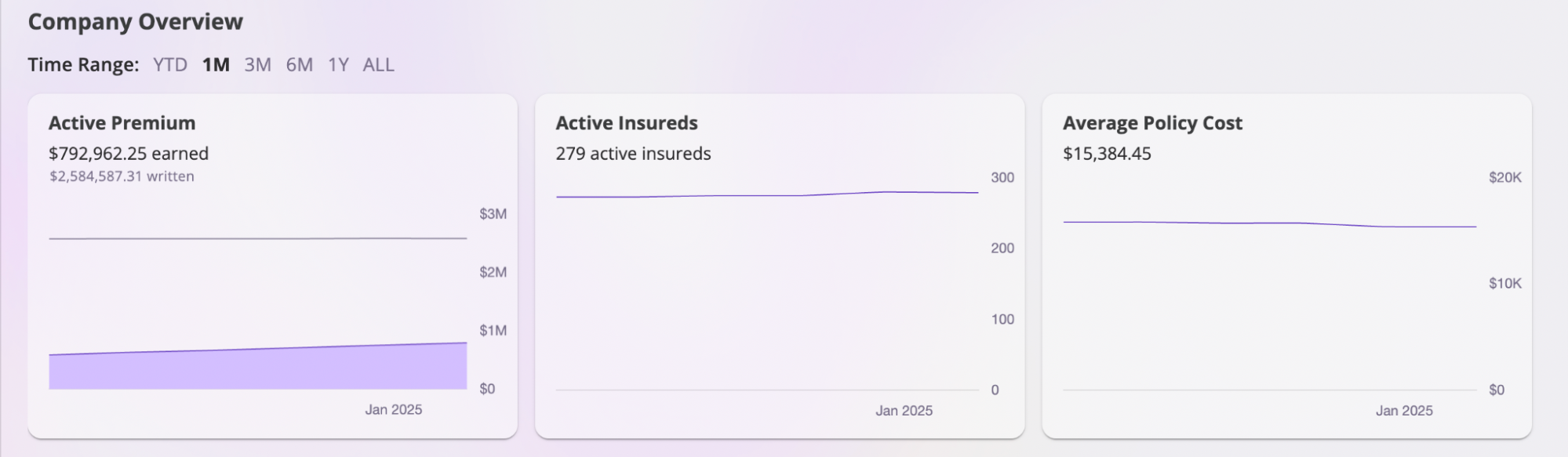
The Company Overview dashboard includes a time range selector that allows you to view your organization’s performance across different periods. When you click on different time ranges, the dashboard will automatically update to show:- Graph data for the selected time period
- Summary statistics relevant to that timeframe
- Trend analysis based on the chosen range
Dashboard Graphs
The Company Overview section includes 8 interactive graphs that visualize your organization’s performance:Interactive Features
- Time Range Selection: All graphs update based on selected time period
- Hover Tooltips: Hover over data points for specific values
- Current Values: Real-time metrics displayed on each graph
- Responsive Design: Graphs adapt to different screen sizes
Key Metrics Summary
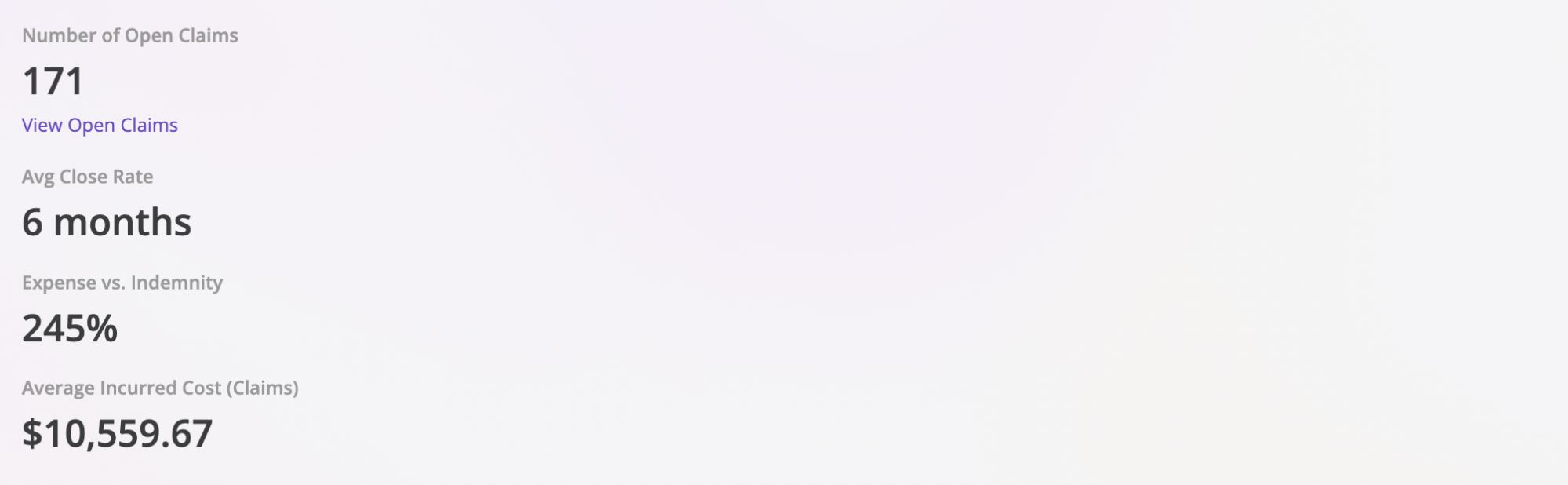
The Company Overview section also provides a snapshot of important business metrics that update based on your selected time range:- Open Claims: The number of active claims your organization is currently handling
- Claim Closure Rate: The average rate at which claims are being resolved
- Cost Difference: The percentage difference between insured’s incurred costs and your company’s payouts
- Average Claim Cost: The average cost of claims during the selected period
Interactive Map
The Company Overview dashboard includes an Interactive Map feature that provides a geographical visualization of your organization’s data. This feature displays all claims, policies, and insureds on an interactive map, giving you a spatial view of your business operations.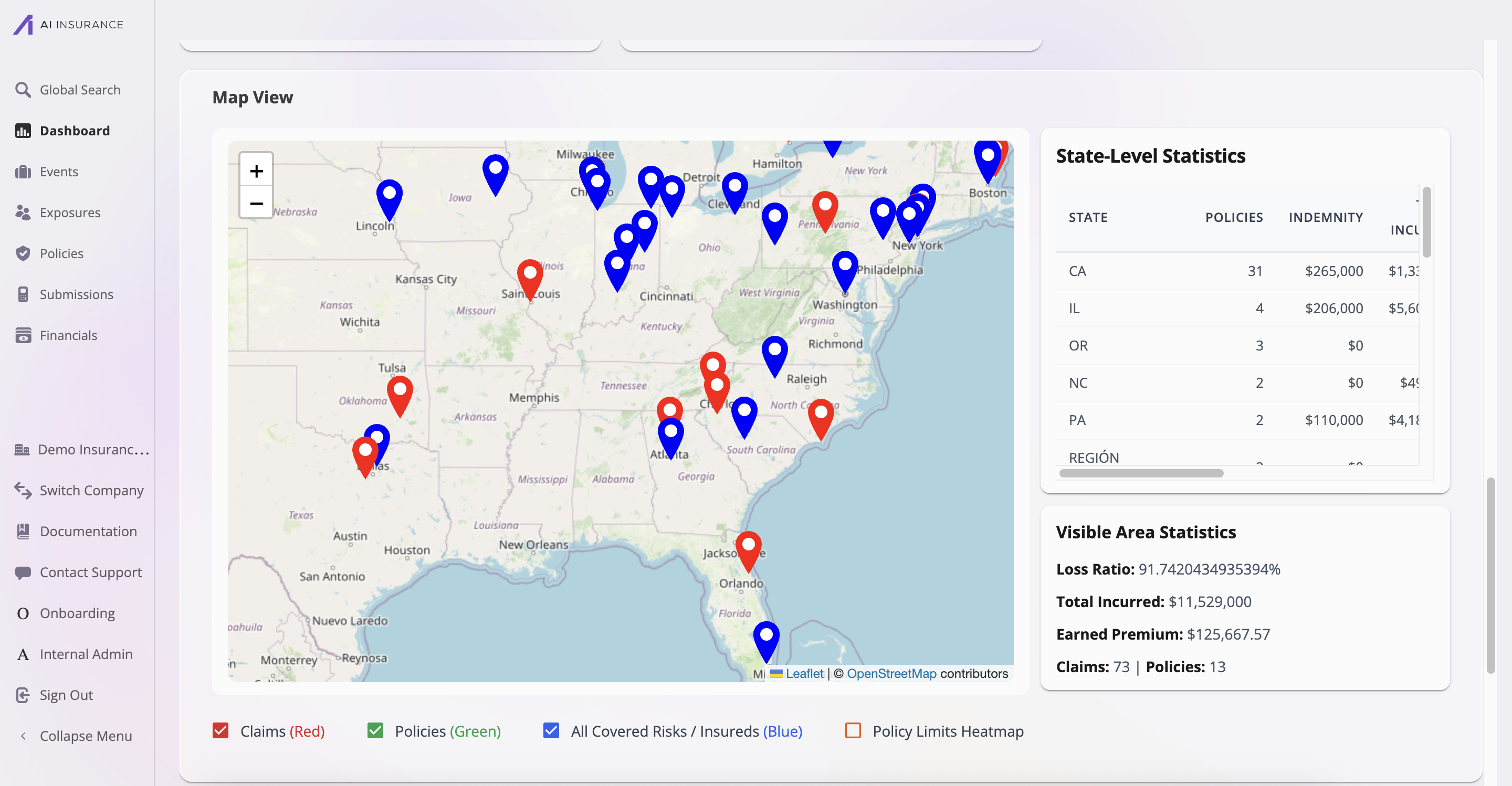
Map Display
The Interactive Map displays three types of entities using color-coded markers:- Claims (Red): Red pins mark the locations of all claims. Click on a claim marker to view details about that specific claim.
- Policies (Green): Green pins indicate policy locations. These show where your policies are geographically distributed.
- All Covered Risks / Insureds (Blue): Blue pins represent insured locations, showing where all covered risks and insured entities are located.
Map Features
- Zoom Controls: Use the zoom in (+) and zoom out (-) buttons to adjust the map view
- Map Legend: Toggle visibility of different entity types using the checkboxes in the map legend
- Interactive Markers: Click on any marker to view detailed information about that entity
- Geographic Coverage: The map displays data across all states and regions where your organization operates
Statistics Panels
The Interactive Map includes two statistics panels that provide additional context:-
State-Level Statistics: Shows a breakdown by state including:
- Number of policies per state
- Total indemnity amounts
- Additional financial metrics
-
Visible Area Statistics: Displays aggregated metrics for the currently visible map area:
- Loss Ratio percentage
- Total Incurred amounts
- Earned Premium
- Total number of Claims and Policies
- Entities without location data are automatically excluded from the map
- For policies without a policy address, the primary insured’s address is used as a fallback
- The API requires
company:readpermission to access map data