> ## Documentation Index
> Fetch the complete documentation index at: https://docs.aiinsurance.io/llms.txt
> Use this file to discover all available pages before exploring further.
# Delete a Policy
## Feature Summary — "Delete Policy" Action
When a user deletes a policy under Actions → Delete Policy, the system will:
* Delete the policy from active records
* Void all associated invoices automatically
However, the deleted policy and its voided invoices remain viewable in the Financials tab for recordkeeping purposes.
## How to Delete a Policy
Take the following steps to delete a policy:
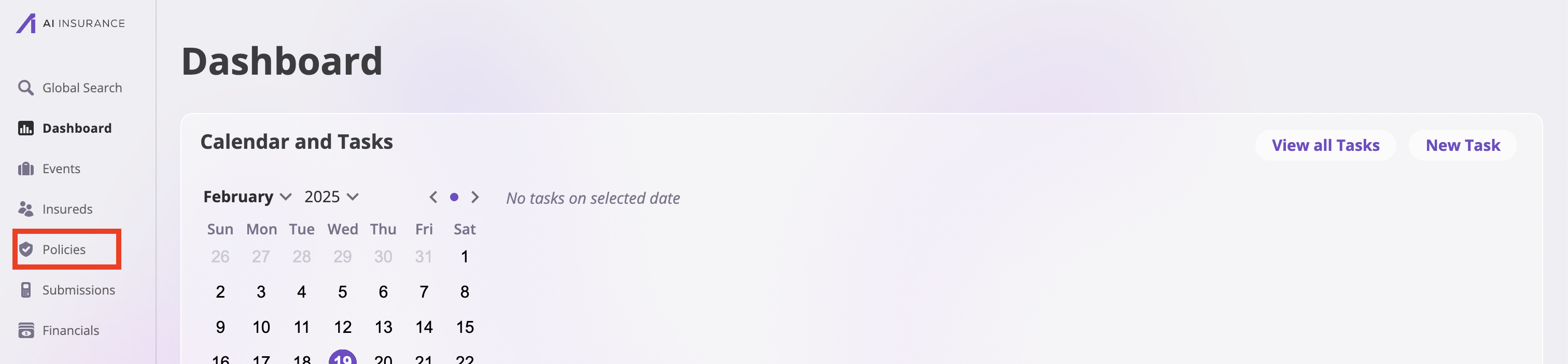
1. Navigate to the **Policies** page by clicking the **Policies** tab on the sidebar.
 2. On the **Policies** page, search through the list of the policies and select the policy you would like to delete.
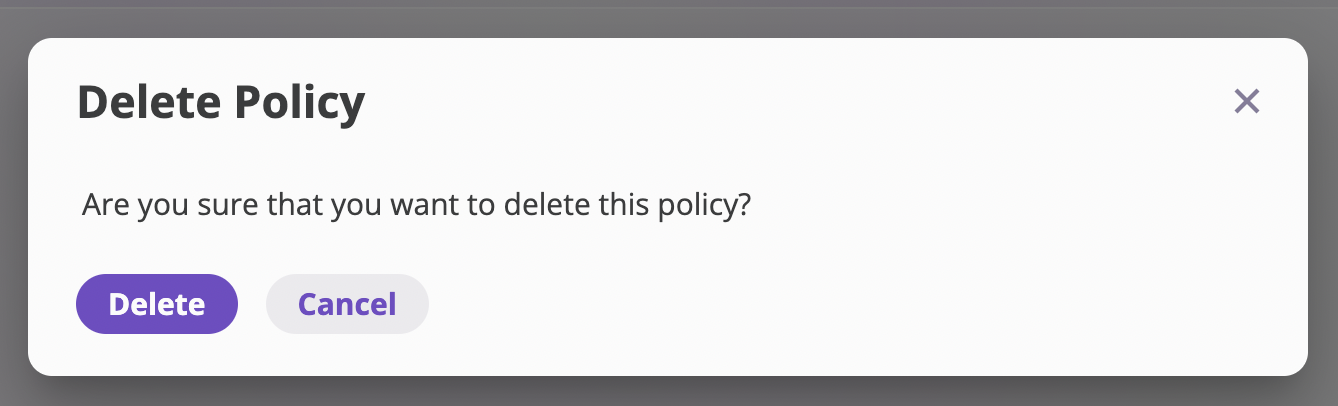
3. In the specific policy page, navigate to the **Actions** dropdown on the top right of the page and select **Delete Policy** from the options. This action opens up a **Delete Policy** modal.
2. On the **Policies** page, search through the list of the policies and select the policy you would like to delete.
3. In the specific policy page, navigate to the **Actions** dropdown on the top right of the page and select **Delete Policy** from the options. This action opens up a **Delete Policy** modal.
 4. Confirm the policy deletion by clicking the **Delete** button.