> ## Documentation Index
> Fetch the complete documentation index at: https://docs.aiinsurance.io/llms.txt
> Use this file to discover all available pages before exploring further.
# Change Coverage Names
### How to Change Coverage Names
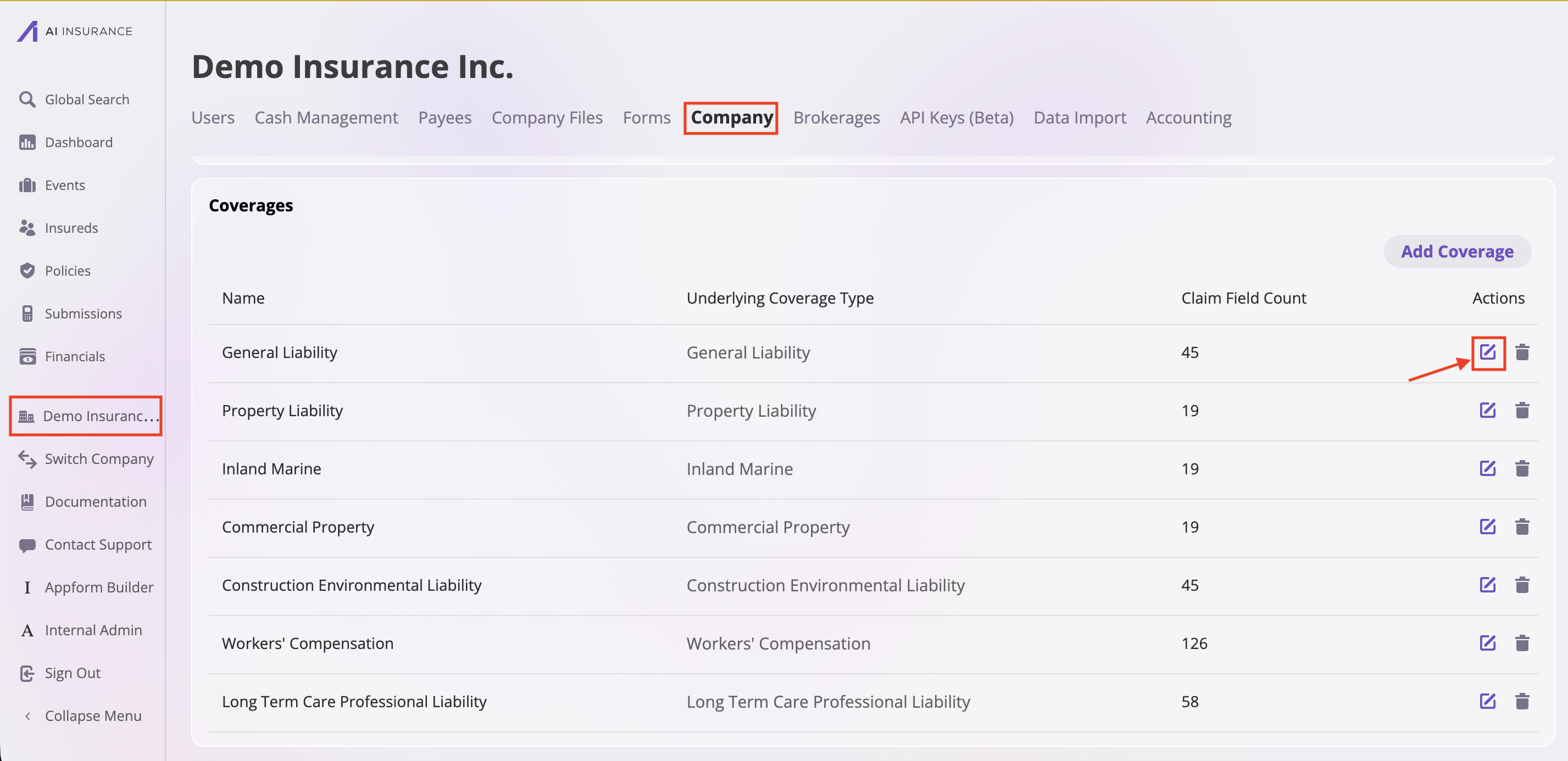
1. Go to **Company**
2. Scroll down to find the coverage you want to edit
3. Click the **edit button**
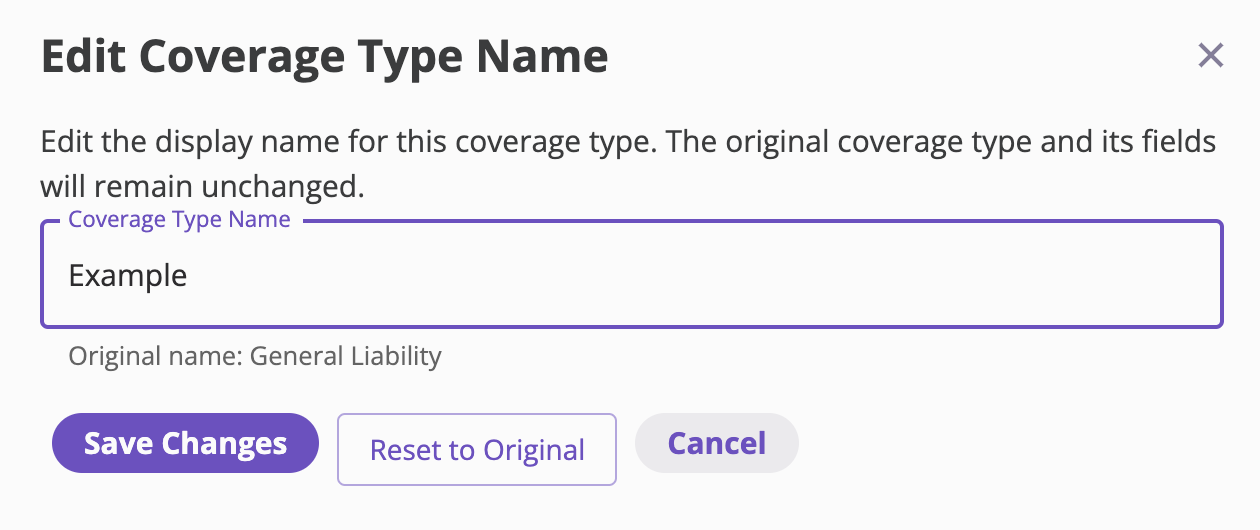
 4. In the "Edit Coverage Type Name" modal:
* Change the name in the "Coverage Type Name" field as needed
* The original name is displayed below the input field for reference
5. Choose your action:
* Click **"Save Changes"** to apply the new name
* Click **"Reset to Original"** to restore the original name
* Click **"Cancel"** to close the modal without saving changes
4. In the "Edit Coverage Type Name" modal:
* Change the name in the "Coverage Type Name" field as needed
* The original name is displayed below the input field for reference
5. Choose your action:
* Click **"Save Changes"** to apply the new name
* Click **"Reset to Original"** to restore the original name
* Click **"Cancel"** to close the modal without saving changes
 ### Related Information
For information on changing coverage limits, see [Changing Coverage Limits](/policing/policy-management/changing-coverage-limits).
### Related Information
For information on changing coverage limits, see [Changing Coverage Limits](/policing/policy-management/changing-coverage-limits).